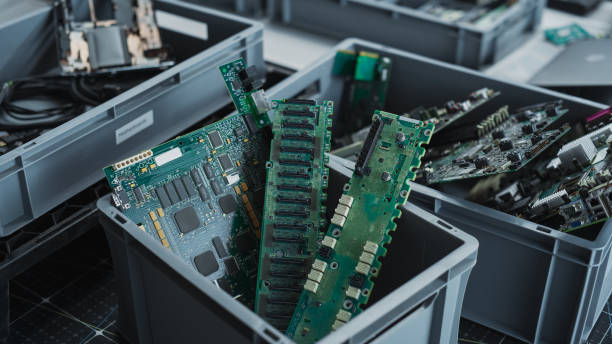
When Should Businesses Use IT Asset Disposal Services?

Businesses rely on computers, servers, laptops, networking equipment, and other technology to manage daily operations. Over time, these assets become outdated, damaged, inefficient, or unsuitable for changing business requirements. Knowing when to retire this equipment is important for maintaining productivity, protecting sensitive information, and managing operational costs. IT asset disposal services help organisations handle unwanted technology securely and responsibly when it reaches the end of its useful life.
However, disposing of IT equipment involves more than simply removing old devices from the workplace. Storage devices may contain confidential business records, employee information, financial documents, and customer data. Businesses must also consider environmental responsibilities, internal policies, and applicable regulations. Understanding when to use IT asset disposal services can help organisations make informed decisions and reduce the risks associated with retired technology.
What Are IT Asset Disposal Services?
IT asset disposal services involve the secure collection, management, reuse, recycling, and disposal of unwanted electronic equipment. These services help businesses manage technology that is no longer required, whether because it has become outdated, damaged, or unnecessary.
Depending on the equipment’s condition and the organisation’s requirements, IT assets may be refurbished for reuse, resold where appropriate, recycled for material recovery, or physically destroyed when necessary.
Types of IT Assets That May Require Disposal
A wide range of electronic equipment may eventually need to be removed from business operations. Common examples include desktop computers, laptops, servers, hard drives, solid-state drives, printers, networking devices, storage systems, and other electronic peripherals.
Businesses should assess each asset individually before deciding how it should be handled. Equipment that remains functional may be suitable for reuse, while damaged devices or storage media containing highly sensitive information may require more specialised treatment.
When Should Businesses Use IT Asset Disposal Services?
Several business situations indicate that professional IT asset disposal may be necessary. Recognising these circumstances early helps organisations plan equipment retirement and maintain appropriate security controls.
1. When IT Equipment Reaches the End of Its Useful Life
Technology gradually becomes outdated as software requirements change and newer equipment offers improved performance. Older devices may struggle to support current applications, experience frequent failures, or require increasingly expensive maintenance.
When equipment no longer meets operational needs, businesses should develop a retirement plan. IT asset disposal services can help ensure that obsolete devices are removed securely rather than left unused in storage rooms or discarded without proper procedures.
A planned disposal process also helps organisations keep asset inventories accurate and identify equipment that may still have reuse or recycling value.
2. When Upgrading Computers and Servers
Technology upgrades often involve replacing multiple devices at once. Businesses may introduce faster computers, expand server capacity, improve network infrastructure, or transition to newer storage systems.
These upgrades can generate a large volume of retired equipment that needs to be managed within a limited timeframe.
IT asset disposal services can support an organised transition by helping businesses collect, track, and process old equipment. Secure data removal should be included in the upgrade plan so that confidential information is protected before devices leave the organisation’s control.
3. When Protecting Sensitive Business Information
Data security is one of the most important reasons to use IT asset disposal services. Computers and storage devices may retain information even after files have been deleted or drives have been formatted.
If retired equipment is sold, donated, or discarded without appropriate sanitisation, unauthorised individuals may be able to recover sensitive information.
Businesses should arrange secure data sanitisation or physical destruction according to the type of device, the sensitivity of the information, and applicable security requirements. They should also maintain documentation confirming that the approved process has been completed.
4. During Office Relocations or Business Restructuring
Moving to a new office or restructuring business operations can reveal equipment that is no longer needed. Organisations may consolidate departments, reduce office space, change their technology infrastructure, or close particular locations.
Keeping unnecessary devices during these transitions can increase storage, transport, and inventory management challenges.
Using IT asset disposal services before a relocation can help businesses identify which assets should be transferred, reused, recycled, or destroyed. This reduces the amount of unnecessary equipment that must be moved and helps maintain control over devices containing business information.
5. When Equipment Is Damaged or No Longer Functional
Faulty computers, broken laptops, damaged storage devices, and failed servers may no longer be suitable for everyday use. However, a device that cannot operate normally may still contain recoverable information.
Businesses should not assume that damaged equipment is automatically safe to discard. Storage media should be assessed, and appropriate sanitisation or destruction should be arranged before disposal.
Professional handling can also help organisations separate recyclable components from materials that require specialised treatment.
6. When Preparing for Audits or Compliance Reviews
Businesses may need to demonstrate that information and technology assets are managed according to internal policies and applicable legal or contractual requirements.
A documented disposal process can support these efforts by recording which assets were retired, how they were handled, and whether required data destruction procedures were completed.
IT asset disposal services may provide asset inventories, transfer records, and certificates of destruction, depending on the service offered. Businesses should confirm which documentation is available and whether it meets their specific audit requirements.
Using a disposal service does not automatically guarantee compliance. Organisations remain responsible for understanding and meeting their applicable obligations.
Signs That Your Business Needs a Better IT Disposal Process
Even when equipment has not reached the end of its useful life, certain warning signs may indicate that existing disposal practices need improvement.
Unused Equipment Is Accumulating
Old computers and peripherals often remain in storage because nobody has been assigned responsibility for their removal. Over time, this creates clutter and makes it harder to maintain accurate asset records.
A regular disposal schedule can help businesses identify unused equipment and determine its next appropriate destination.
Data Destruction Procedures Are Unclear
If employees are unsure how to remove information securely from retired devices, the organisation may face unnecessary security risks. A documented procedure should explain who authorises disposal, which sanitisation methods are permitted, and when physical destruction is required.
Asset Records Are Incomplete
Missing serial numbers, outdated inventories, and undocumented equipment transfers make it difficult to track retired technology. Businesses should maintain records throughout an asset’s lifecycle, including its final disposal.
How to Choose the Right IT Asset Disposal Approach
The most suitable disposal method depends on the equipment’s condition, the information it contains, and the organisation’s operational requirements.
Evaluate Security Requirements
Identify whether devices contain confidential, personal, financial, or otherwise sensitive information. Select a sanitisation or destruction method that meets the applicable security requirements. Physical destruction may be appropriate when media cannot be securely sanitised or when policy specifically requires it.
Consider Reuse and Recycling
Functional equipment may be suitable for redeployment, refurbishment, or resale after appropriate data sanitisation. Devices that cannot be reused should be directed towards suitable recycling processes.
This approach can reduce electronic waste and help recover useful materials while ensuring that security remains a priority.
Review Handling and Documentation Procedures
Before engaging a disposal provider, businesses should review collection arrangements, access controls, transportation procedures, data destruction capabilities, and recordkeeping practices.
They should also confirm how devices will be tracked from collection through final processing. Clear documentation improves accountability and reduces uncertainty about the equipment’s final destination.
Benefits of Using IT Asset Disposal Services at the Right Time
Timely disposal helps businesses reduce the security risks associated with unused technology. It also supports better inventory management, frees up storage space, and makes equipment upgrades easier to organise.
Responsible disposal can reduce electronic waste by directing suitable equipment towards reuse and recycling rather than unnecessary landfill disposal. Additionally, a structured process helps organisations maintain records that support internal governance and operational planning.
Most importantly, integrating disposal into IT asset management ensures that security and environmental considerations are addressed before equipment leaves business control.
See also: The Role of Technology in Sustainable Innovation
Conclusion
Businesses should use IT asset disposal services whenever technology becomes obsolete, is replaced during an upgrade, is damaged beyond practical use, or is no longer required because of relocation or organisational changes. These services are also valuable when companies need secure data destruction, better asset tracking, or documented disposal procedures.
Planning ahead allows organisations to evaluate equipment, protect sensitive information, and select suitable reuse, recycling, or destruction methods. By making IT asset disposal part of the technology lifecycle, businesses can reduce data security risks, improve operational efficiency, and manage electronic waste more responsibly.